Businesses onboarding New Zealand suppliers and contractors need to confirm an IRD number, but there is no public type-in lookup tool for it. Here is the honest verdict up front. You can validate any IRD number’s format yourself using the published check-digit algorithm. Verifying that a number belongs to a specific person or business requires the holder’s documentation, their myIR account at Inland Revenue, or approved-provider API access.
This guide separates those two things cleanly, walks through the check-digit math with a worked example, and shows the exact methods you can use to verify a counterparty’s number for Goods and Services Tax (GST) and withholding purposes.
What Is an IRD Number in New Zealand?
An IRD number is the tax identification number issued by the Inland Revenue Department (IRD), New Zealand’s tax authority, and used for income tax, GST, KiwiSaver, and employer obligations. It is unique to one taxpayer for life, free to obtain, and required for opening a bank account, joining KiwiSaver, and earning income, per Inland Revenue’s managing-my-tax pages.
One point matters for business verification. For a GST-registered entity, the GST number is the same number as the IRD number. Inland Revenue states plainly that “your GST number will be the same as your IRD number” on its register-for-GST page. There is no separate GST identifier to check.
What Is the IRD Number Format?
An IRD number is 8 or 9 digits: a 7- or 8-digit base number plus a single trailing check digit. Inland Revenue treats the number as 9 digits for data entry, so an 8-digit legacy number takes a leading zero. The valid issued range runs from 10,000,000 to 200,000,000 as of 2026. The details below all come from Inland Revenue documentation.
| Attribute | Detail | Source |
|---|---|---|
| Length | 8 or 9 digits (7- or 8-digit base + 1 check digit) | IRD payroll calculations specification |
| Data entry | Enter as 9 digits; pad an 8-digit number with a leading zero | IRD myIR help |
| Valid range | 10,000,000 to 200,000,000 (raised from 150,000,000 on 10 February 2026) | IRD news update |
| Check digit position | The last (trailing) digit | IRD payroll calculations specification |
| Display grouping | 49-091-850 (8-digit) or 136-410-132 (9-digit) | IRD payroll calculations specification |
A genuinely valid example is 49091850, displayed as 49-091-850, which passes the check-digit algorithm below. Common data-entry errors are dropping the leading zero on an 8-digit number, transposing digits, or mistyping the final check digit, any of which produces an invalid number.
What Is the Difference Between Validating and Verifying an IRD Number?
Validation confirms a number is mathematically well-formed. Verification confirms a number is actually assigned and active for a specific entity. Validation is offline math anyone can run. Verification needs the holder, their documents, or approved-provider access. Keeping these separate is the core of getting IRD verification right.
| Term | What it proves | Who can do it | Source |
|---|---|---|---|
| Validation | The number is well-formed (correct range and check digit) | Anyone, offline | IRD payroll calculations specification |
| Verification | The number is assigned and active for a named entity | The holder, counterparty documents, or an approved provider | IRD Number Validation service |
Can You Look Up an IRD Number Online?
No. Inland Revenue provides no public third-party lookup for IRD numbers, for privacy reasons. In its OECD tax identification number (TIN) country profile, Inland Revenue states “there is no online verification tool available,” per the New Zealand TIN profile. New Zealand runs no open VAT-style register like the EU’s VIES. Here are the methods that actually work.
| Method | Who can use it | What it proves | Source |
|---|---|---|---|
| myIR account | The number holder | Your own number and its status | IRD managing-my-tax |
| Official IR correspondence | Holder, or counterparty on request | The number as printed by Inland Revenue | IRD |
| Counterparty documentation (tax invoice, GST confirmation, IR330/IR330C) | Any business onboarding a supplier | The number the entity supplies | IRD |
| Check-digit validation | Anyone | Format integrity only, not assignment | IRD payroll calculations specification |
| IRD Number Validation service | Approved digital service providers | A match against identity details | IRD services catalogue |
How Do You Find or Verify Your Own IRD Number?
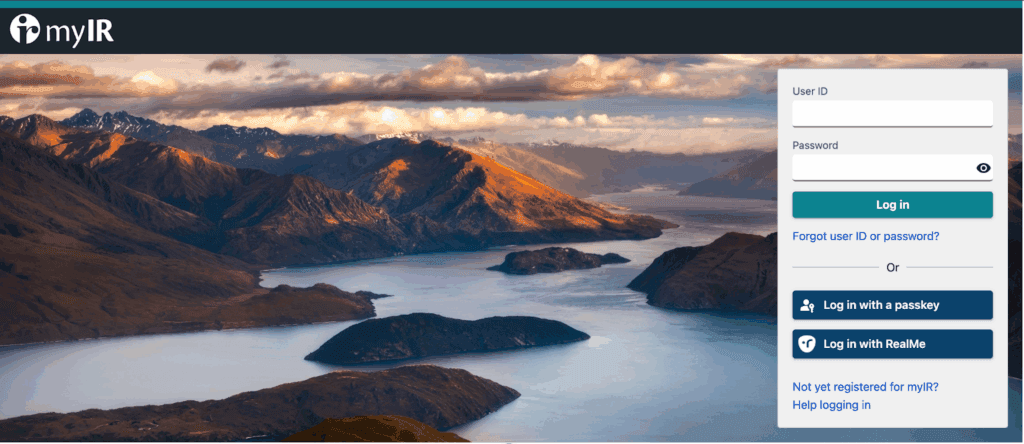
Log in to your myIR account at ird.govt.nz, where your IRD number is displayed. The number also appears on every IR letter, notice, payslip, and KiwiSaver statement, and Inland Revenue can retrieve it by phone after identity checks. Your myIR login and your IRD number are two different things, which trips up many searchers.
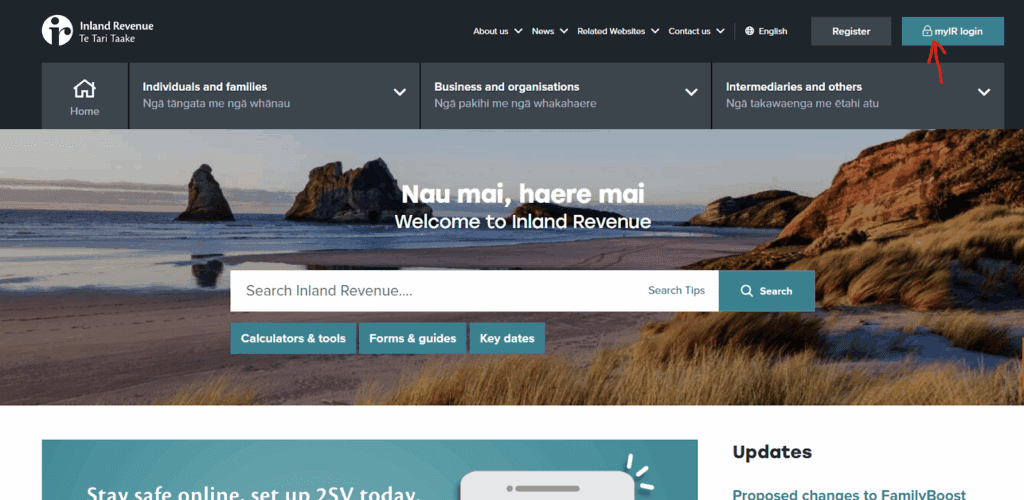
You sign in to myIR using RealMe or a myIR-specific login. If you are locked out, you recover login access through RealMe, then read your IRD number inside the account. Every piece of official Inland Revenue correspondence also prints the number.
How Do You Verify a Supplier’s or Third Party’s IRD Number?
Request documentary evidence from the counterparty, in order of practicality: official Inland Revenue correspondence, a tax invoice, GST registration confirmation, or a completed IR330 or IR330C tax code declaration. There is no public GST-number checker, and because the IRD number doubles as the GST number for registered entities, requesting a GST registration confirmation covers both.
Documents prove the number the entity supplies. To go further, run the check-digit algorithm below to confirm integrity, and use the approved-provider API to confirm assignment. If you are registering a foreign entity, review GST registration for foreign companies in New Zealand before verification becomes relevant.
Why Does Verifying an IRD Number Matter for Businesses?
An invalid supplier IRD number creates real downstream risk: rejected GST input claims, withholding errors on contractor payments, and onboarding due diligence gaps. A contractor who gives a wrong number or none can be taxed at the higher no-notification rate, and wrong supplier details on invoices threaten GST input tax positions.
These are processing and compliance consequences, not a direct “invalid number” fine. Confirming numbers at onboarding keeps your GST tax returns in New Zealand clean and your withholding accurate.
How Does IRD Number Check Digit Validation Work?
A number is valid when its last digit matches a weighted mod-11 checksum of the base digits, using an algorithm Inland Revenue publishes openly. You strip the check digit, pad the base to 8 digits, apply weight factors, take the sum modulo 11, and compare. The steps below come from Inland Revenue’s digital service provider specifications.
| Step | Rule | Source |
|---|---|---|
| 1. Range check | The base must fall within 10,000,000–200,000,000 | IRD 2026 news update |
| 2. Pad | Left-pad a 7-digit base to 8 digits with a leading zero | IRD payroll specification |
| 3. Primary weights | Apply 3, 2, 7, 6, 5, 4, 3, 2 to the 8 base digits, left to right | IRD payroll specification |
| 4. Mod 11 | Sum the products, take the sum modulo 11 | IRD payroll specification |
| 5. Check digit | Check digit = 11 − remainder (0 if the remainder is 0) | IRD payroll specification |
| 6. Secondary pass | If step 5 yields 10, redo with weights 7, 4, 3, 2, 5, 2, 7, 6 | IRD payroll specification |
| 7. Reject | If the second pass also yields 10, the number is invalid | IRD payroll specification |
Worked Example: Validating 49091850
Inland Revenue’s own specification uses 49091850 as a passing example. The base is 4909185, padded to 04909185. Applying weights 3, 2, 7, 6, 5, 4, 3, 2 gives products 0, 8, 63, 0, 45, 4, 24, 10, which sum to 154. Then 154 mod 11 is 0, so the check digit is 0. That matches the supplied last digit, so 49091850 is valid.
Pseudocode for the Check-Digit Check
“`javascript function isValidIRD(number) { const digits = String(number).replace(/\D/g, “”); const base = parseInt(digits.slice(0, -1), 10); const check = parseInt(digits.slice(-1), 10); if (base < 10000000 || base > 200000000) return false;
const padded = String(base).padStart(8, “0”); const calc = (weights) => { const sum = weights.reduce((t, w, i) => t + Number(padded[i]) * w, 0); const r = sum % 11; return r === 0 ? 0 : 11 – r; };
let cd = calc([3, 2, 7, 6, 5, 4, 3, 2]); if (cd === 10) cd = calc([7, 4, 3, 2, 5, 2, 7, 6]); if (cd === 10) return false; return cd === check; } “`
What Is the IRD Number Validation Service for Approved Providers?
Inland Revenue offers an IRD Number Validation service through its Gateway Services catalogue for approved digital service providers (DSPs). It takes an IRD number plus identity details (entity classification, name, date of birth or incorporation, address, and optional NZBN) and returns a match assessment. It never returns an IRD number, so it cannot function as a lookup, per the IRD services catalogue.
Access is restricted. A provider must be an approved DSP holding a mutual Transport Layer Security (TLS) certificate, which rules out most small and mid-sized businesses. For teams that need identity-matched checks across countries without building a DSP integration, Commenda’s global tax ID verification tool validates tax IDs across jurisdictions at onboarding.
How Do You Get an IRD Number?
Individuals apply through myIR using RealMe, or via banks and arrival services. Companies typically receive an IRD number at incorporation, because the Companies Office offers simultaneous IRD registration. Offshore persons face extra requirements, generally a fully functional New Zealand bank account or a qualifying exemption, before a number is issued.
If you are setting up a New Zealand entity, Commenda’s incorporation service handles company formation, and you can review the full walkthrough on incorporating in New Zealand.
How Commenda Helps With New Zealand Tax Compliance
Verifying IRD numbers is one step in a wider compliance load, and the harder work starts once you are registered and filing. Commenda’s global indirect tax software handles GST registration, filing, and ongoing indirect tax compliance across the jurisdictions where you operate, so New Zealand behaves the same as every other country you expand into. For teams standing up a local entity, Commenda’s incorporation service registers the company and its IRD number together, and Commenda’s tax ID verification tool checks counterparty tax IDs at onboarding.
Book a demo to see how Commenda handles GST registration, filing, and supplier verification in New Zealand and across your other markets: book a demo.