Wisconsin trips up more searchers than almost any other state. The single most common mistake is starting at the Secretary of State. Wisconsin does not register businesses there. Every corporation, limited liability company (LLC), and nonprofit registers with the Wisconsin Department of Financial Institutions (DFI). Run your lookup on the free DFI Corporate Records Search.
The search costs nothing and needs no account. This guide shows you how to use it, read a record, verify good standing, and order official documents.
What Is a Wisconsin Business Entity Search?
A Wisconsin business entity search is a free public lookup of every entity registered in the state, run by the DFI through its Corporate Records Search portal. It handles four jobs: checking name availability, confirming entity status, running due diligence, and accessing filed documents. Owners, attorneys, lenders, and investors all use it.
The search requires no login or payment, per the DFI Corporate Records Search. It returns the legal name, DFI entity ID, entity type, status, registered agent, registered office, principal office, effective date, and annual report history directly in your browser.
Why Isn’t the Wisconsin Business Search Run by the Secretary of State?
Wisconsin assigns business registration to the DFI by statute, not to the Secretary of State. Under Wis. Stat. § 182.01, the DFI receives and maintains business entity records. The Secretary of State handles apostilles, document authentication, and notary commissions only. The site `secretaryofstate.com` is a private commercial directory, not a government portal.
| Office | What it handles | Source |
|---|---|---|
| Wisconsin DFI | Entity formation, annual reports, Certificate of Status, trademarks | Wis. Stat. § 182.01; DFI |
| Wisconsin Secretary of State | Apostilles, authentications, notary commissions (no business registry) | Wis. Stat. § 14.38; sos.wi.gov |
| secretaryofstate.com | Privately owned directory, “not affiliated with any government agency” | secretaryofstate.com |
The `secretaryofstate.com` Wisconsin page states plainly, “This website is privately owned and not affiliated with a government office.” Always confirm you are on a `dfi.wi.gov` or `wdfi.org` address before trusting a record.
How Do I Search for a Business Entity in Wisconsin?
Open the DFI Corporate Records Search, then search by name, entity ID, or registered agent. Name search accepts exact or begins-with matching. Entity ID and registered agent searches give you precision when a name is common. Open any result to read the full record. Follow the four steps below.
Step 1: Open the DFI Corporate Records Search
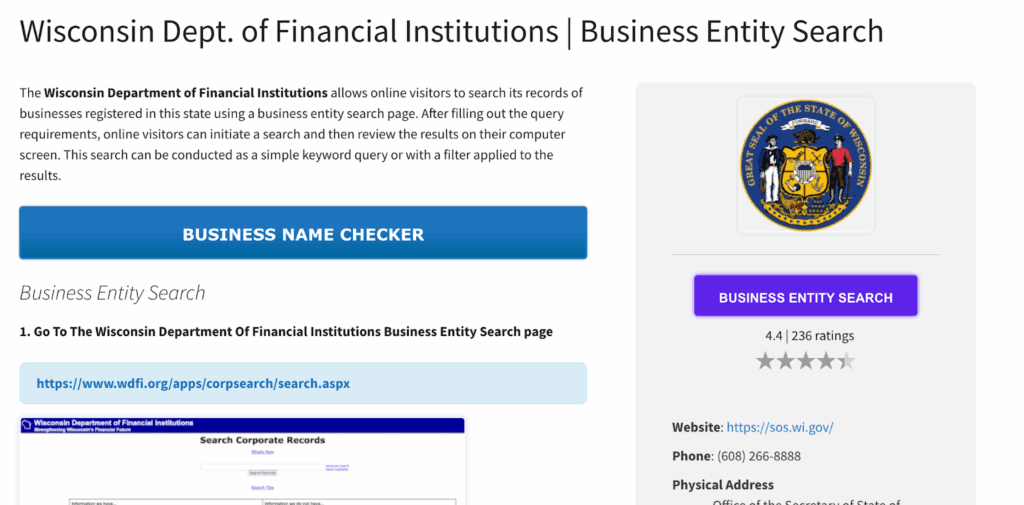
Go directly to the DFI Corporate Records Search. The basic page covers most lookups. For extra filters, use the companion Advanced Search page, which adds entity type and formation date fields.
Step 2: Search by Name, Exact or Begins-With
Enter the exact legal name when you know it. Use begins-with matching when you are unsure of the full name or spelling. Retry with abbreviation variants, such as Corp versus Corporation or LLC versus Limited Liability Company. The DFI search ignores punctuation and case, so “A-1, LLC” and “a1 llc” return the same results.
Step 3: Search by Entity ID or Registered Agent
Every Wisconsin entity carries a DFI entity ID of one letter plus six digits, for example M054171, assigned when it first organizes, per the DFI search help page. Use it for precise lookups when names are similar. Registered-agent searching lives in Advanced Search, which helps when a business name is common.
Step 4: Read the Record
Open a result to see the full record: legal name, DFI entity ID, entity type, current status, registered agent and address, principal office, effective date, annual report history, and whether the entity is domestic or foreign. Review multiple results carefully, because similar names often coexist in the database.
What Do Wisconsin Business Entity Statuses Mean?
An entity’s status tells you instantly whether it may legally operate, and checking it is free and instant in the search. Wisconsin uses its own vocabulary, shown below. It does not use “Forfeited” or “Suspended,” which are other states’ terms. To verify a Wisconsin business is in good standing, confirm the status reads Organized, Incorporated, or Restored to Good Standing.
| Status | Code | Meaning | Source |
|---|---|---|---|
| Organized | ORG | Domestic entity formed and active | DFI |
| Incorporated / Qualified / Registered | INC | Active corporation or registered entity | DFI |
| Delinquent | DLQ | Missed a required annual report | DFI |
| In Bad Standing | IBS | Compliance obligation unmet | DFI |
| Dissolved | DIS | Formally dissolved | DFI |
| Administratively Dissolved | ADS | Dissolved by DFI for noncompliance | DFI |
| Involuntarily Dissolved | IDS | Dissolved by court or state action | DFI |
| Merged | MGD | Absorbed into a surviving entity | DFI |
| Restored to Good Standing | — | Reinstated after resolving defaults | DFI |
Which Business Types Appear in a Wisconsin Entity Search?
Every DFI-registered entity appears in one database. Sole proprietorships and general partnerships do not, because Wisconsin requires no formation filing for them. The DFI Business Entity Types page assigns each type to its own statutory chapter, shown below.
| Entity type | Governing statute | Source |
|---|---|---|
| Corporation | Wis. Stat. ch. 180 | DFI Business Entity Types |
| Nonprofit corporation | Wis. Stat. ch. 181 | DFI Business Entity Types |
| Limited liability company (LLC) | Wis. Stat. ch. 183 | DFI Business Entity Types |
| Limited partnership (LP) | Wis. Stat. ch. 179 | DFI Business Entity Types |
| Limited liability partnership (LLP) | Wis. Stat. ch. 178 | DFI Business Entity Types |
| Professional LLC (PLLC) | Wis. Stat. ch. 183 | DFI Business Entity Types |
The LLC chapter (Wis. Stat. ch. 183) was recodified by 2021 Wisconsin Act 258, effective January 1, 2023, as the Wisconsin Uniform Limited Liability Company Law. A nonprofit’s DFI registration does not grant federal tax exemption; 501(c)(3) status is a separate Internal Revenue Service (IRS) determination.
What Is a Foreign Entity in Wisconsin Search Results?
A foreign entity is a business formed in another state or country that registered with the DFI to transact business in Wisconsin. A domestic entity was formed under Wisconsin law. The DFI licenses foreign organizations as a core function, so results show both. Each record flags the home state, and foreign entities file Wisconsin annual reports too.
Foreign entities register through a certificate of registration and then file annual reports on the same schedule as domestic ones. Foreign LLC annual reports cost $65 online or $80 by paper, per the DFI fee schedule.
Why Can’t I See the Owner of a Wisconsin LLC in the Search?
The DFI search does not display LLC members or owners. It shows the registered agent, who is often not an owner. The registered agent is simply the person or company designated to receive legal correspondence at a physical Wisconsin address. To reach management names, order the entity’s annual report.
Wisconsin filing rules do not collect LLC member names for public display. Annual reports do list current officer and director information, which is why they double as an ownership-research document. You order them through the DFI’s online system for a fee, covered in the document-ordering section below.
How Do I Check If a Business Name Is Available in Wisconsin?
Search your exact name plus abbreviation variants. If no distinguishable-identical name exists, yours is likely available, though availability is only confirmed at filing. Wisconsin’s standard is that a name be “distinguishable upon the records” of the department, per Wis. Stat. § 180.0401. Designators like Inc. or LLC do not make a name distinguishable.
Your name must carry a required designator, shown below. You can reserve an available name for 120 days for $15 through a DFI name reservation application, per the DFI fee schedule.
| Entity type | Required designator | Source |
|---|---|---|
| LLC | “Limited Liability Company,” “LLC,” or “L.L.C.” | Wis. Stat. ch. 183 |
| Corporation | “Incorporated,” “Corporation,” “Company,” or abbreviations (Inc., Corp., Co.) | Wis. Stat. § 180.0401 |
Before you file, confirm the name is free with Commenda’s company name checker.
How Do I Get a Certificate of Good Standing in Wisconsin?
Wisconsin calls it a Certificate of Status, issued by the DFI and ordered online for $10, per the DFI certificate and copy fee schedule. Checking status in the search is free and instant. The certificate is a separate paid official document. You need it for bank accounts, loans, foreign registration in another state, and mergers and acquisitions (M&A).
A Certificate of Status confirms the entity exists, was validly formed, and has met its filing obligations. It is available immediately after purchase through the DFI order system, with expedited processing adding $25 per document.
When Is the Wisconsin Annual Report Due?
Your annual report is due at the end of the calendar quarter in which the entity was formed. An entity formed in February is due each year by March 31. This quarter-based rule is distinctive to Wisconsin and trips up filers who expect a fixed annual date. Fees by type appear below.
| Filing | Fee | Source |
|---|---|---|
| Domestic LLC annual report | $25 online / $40 paper | Wis. Stat. § 183.0122(2)(a); DFI fee schedule |
| Domestic corporation annual report | $40 | DFI fee schedule |
| Foreign LLC annual report | $65 online / $80 paper | DFI fee schedule |
| Foreign corporation annual report | $80 | DFI fee schedule |
| Reinstatement application | $100 | DFI fee schedule |
A $15 paper surcharge has applied since March 1, 2024, per the DFI fee schedule. The report lists current officer and director names and addresses, which is why it doubles as an ownership-research document; prior reports are orderable. A missed filing moves the entity to Delinquent, then to Administrative Dissolution. Reinstatement requires the $100 application plus every missed report.
How Do I Order Official Wisconsin Business Documents?
Certified copies of formation documents, annual reports, and certificates are ordered through the DFI’s online order system. The free search shows the records; ordering copies costs money. A Certificate of Status and a certified copy each cost $10, with expedited processing adding $25 per document, per the DFI certificate and copy fee schedule.
Order a certified copy of Articles of Organization or Incorporation for banking and loan closings. Order a prior annual report to trace officer and director history. Order a Certificate of Status when another state or a lender demands proof of good standing.
How Do I Conduct Due Diligence on a Wisconsin Company?
Pull the DFI record first, then verify beyond it. Confirm the status reads Organized or Incorporated. Review the annual report history for filing gaps. Order the latest annual report for officer names. Confirm foreign registration if the company was formed out of state. Then cross-check outside the DFI record.
The DFI search shows no owner names and no financials, so it is a starting point, not a full report. Cross-reference the Wisconsin Department of Revenue for tax standing and court records for litigation. For professional firms, check the relevant Wisconsin licensing board.
How Do You Form an LLC in Wisconsin After Your Search?
File Articles of Organization with the DFI once your name clears. Online filing costs $130 and paper costs $170, per the DFI fee schedule. Name a registered agent with a physical Wisconsin address, register for state taxes with the Wisconsin Department of Revenue (DOR), and secure any licenses.
This page covers search, not full formation. For the complete sequence, see Commenda’s Wisconsin business registration guide.
How Commenda Keeps Wisconsin Entities in Good Standing
Commenda’s entity management platform keeps your Wisconsin entities in good standing. It tracks the quarter-based annual report deadline, files the reports, and monitors DFI status so an entity never slips to Delinquent or Administrative Dissolution. Your registered agent, IDs, and filing history live in one dashboard instead of scattered spreadsheets.
Pair it with Commenda’s compliance calendar to see every Wisconsin deadline in one place. Book a demo to get a free compliance-status check of your Wisconsin entities.